Your first map
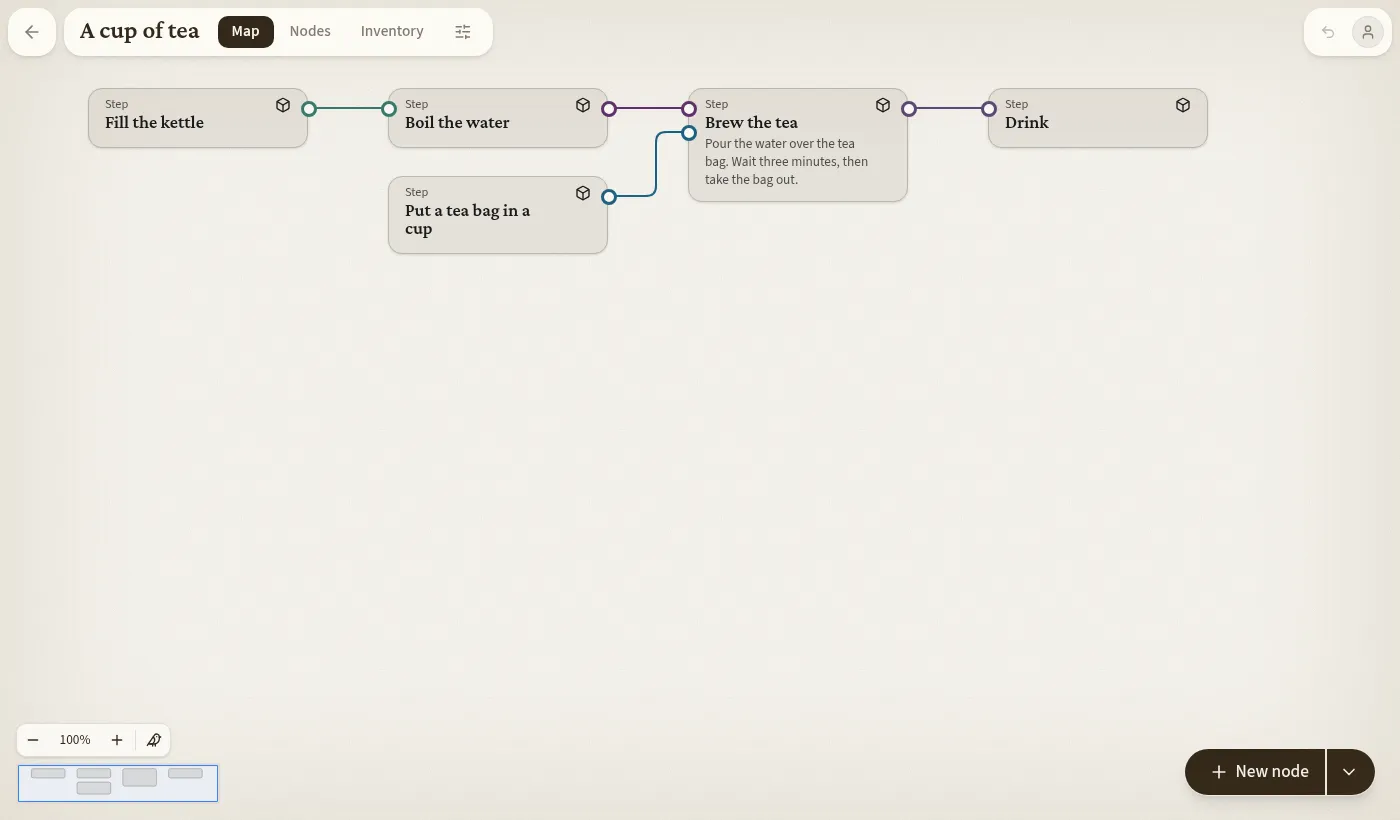
Steps and what flows between them
Section titled “Steps and what flows between them”Create a new map on Your maps. It opens empty, offering a first node or one of three demo maps.
Each step is a node. Its outputs are what it hands on, its inputs what it needs. Each input and output carries an Object, such as Water. Objects are created on the fly: type a new name in Add output and choose Create.
To connect two steps, drag an output’s dot onto another node. Complexity adds the matching input. Alternatively, pick the other node in the from or to list beside an input or output in the editor; a name no node has creates that node.
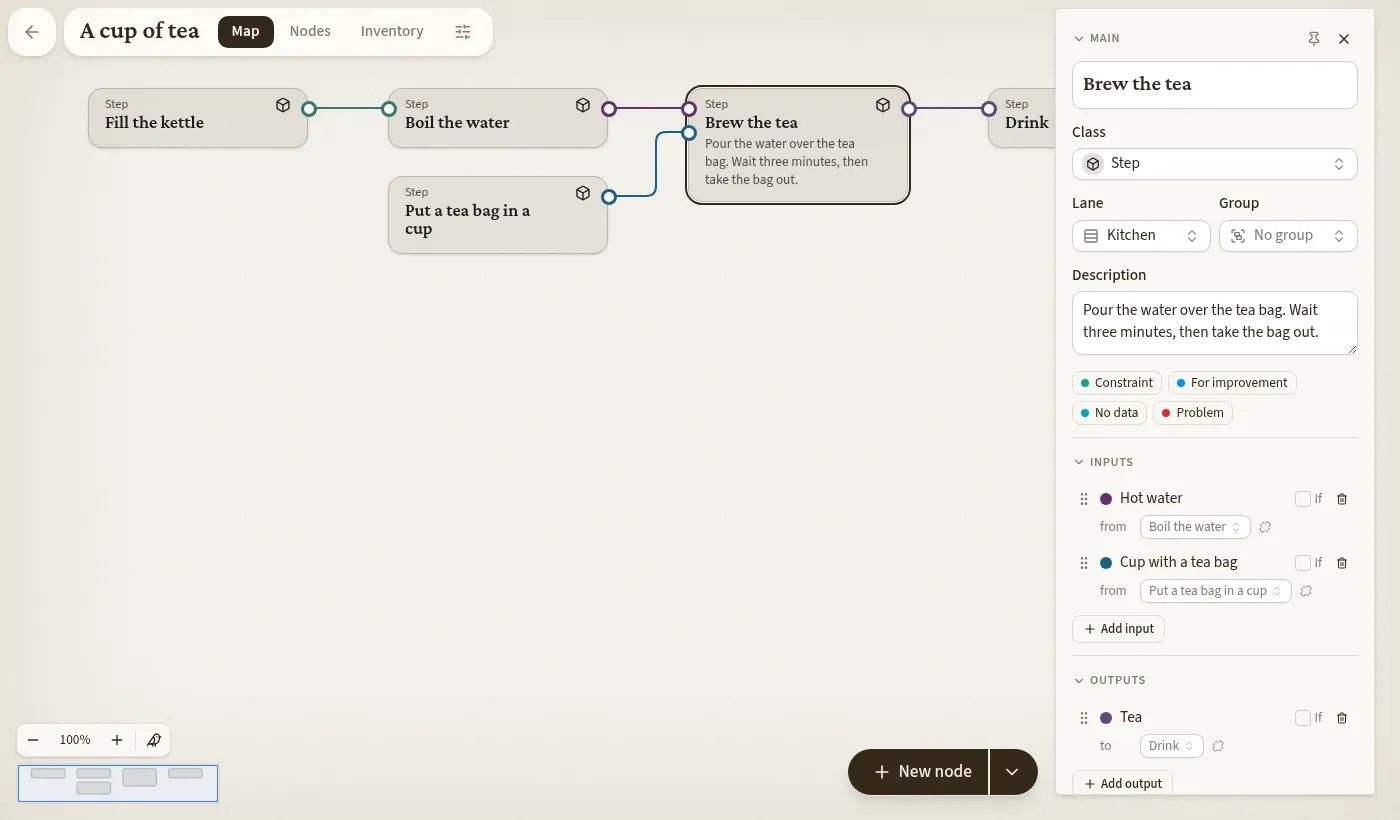
Reading the map
Section titled “Reading the map”- The map runs left to right in the order the work flows.
- A line’s colour is its Object’s colour.
- A step with a single output has no output row; its line leaves beside the name.
- A ring is a connected dot. A solid dot is an open end.
Open ends
Section titled “Open ends”An open end is not an error but an unknown. If you know brewing needs a clean cup but not who washes cups, add the input anyway. Issues at the bottom left lists every open end until it is connected. Click a solid dot for New node from here.
A step with no inputs is a starting point, and one with no outputs an end point; neither counts as open.
Walking the process
Section titled “Walking the process”Select a node and press Esc to close the editor. Right puts a halo on its first output; Right again follows that line to the next node. Up and Down choose among lines on the same side. Enter reopens the editor.
Undo and delete
Section titled “Undo and delete”Ctrl+Z undoes your own changes, also on a shared map. Deleting takes a hold of about a second: on Delete node, or on the Delete key.